
How to Search Alcona County Court Records
Alcona County has no separate local court records portal. The documented online path is Michigan's statewide MiCOURT case search, run by the state judiciary. The county court pages point visitors to the clerk and the individual courts, but the case lookup itself happens inside the state system. That design keeps every county's records in one place instead of scattering them across dozens of small sites.
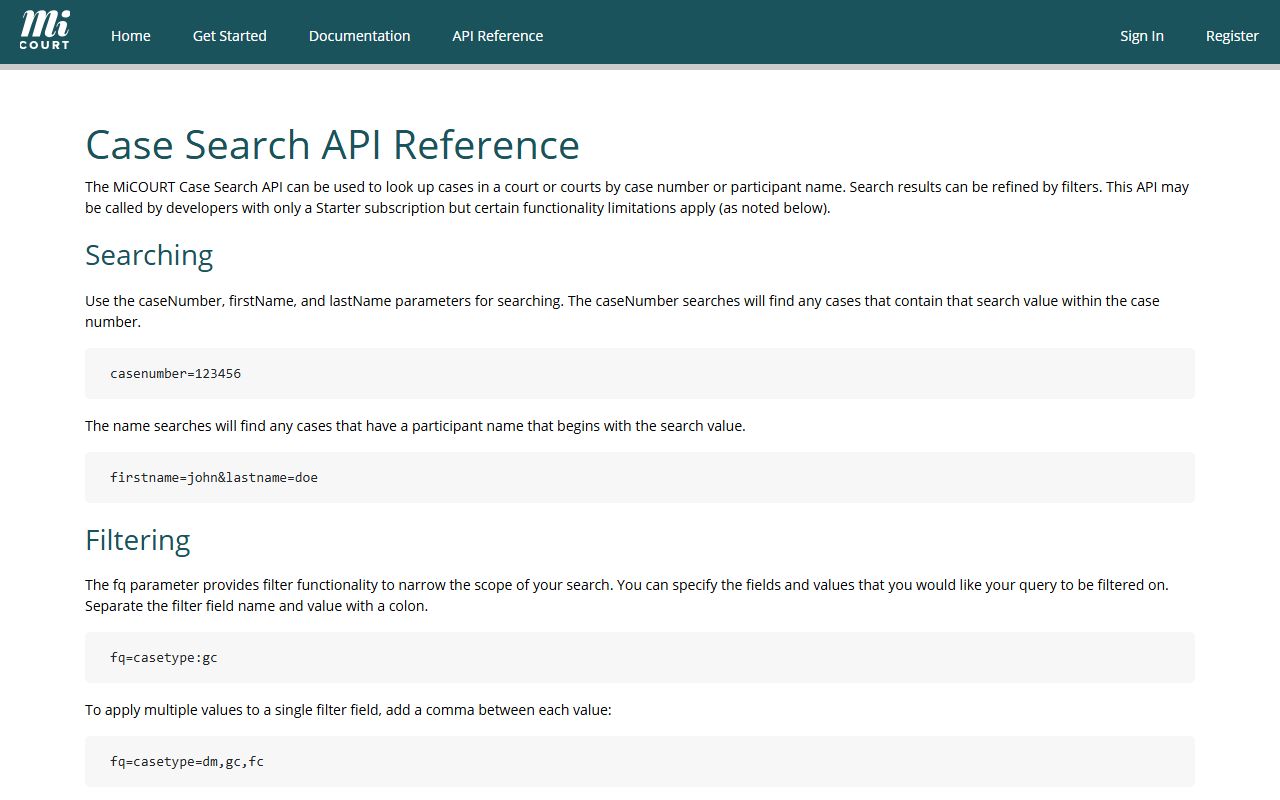
The scope of MiCOURT is spelled out in the state's public case-search documentation. The MiCOURT case-search reference lists the core inputs and every filter the public system accepts. It confirms that a case number, or a first and last name, drives most searches.
Before starting, decide which court holds the case. The 81st District Court is the lower trial court for traffic tickets, misdemeanors, landlord-tenant disputes, small claims, and the early stages of felony cases. The 23rd Circuit Court handles felonies, divorce and family matters, and larger civil claims. The Probate Court keeps estates, guardianships, and conservatorships. A case number is the cleanest search key. A first and last name works too, especially paired with a case year to trim the results.
- Identify the case type before you search, since the category narrows the system quickly.
- Search by case number when you have it. That is the most direct path.
- If you only have a name, enter the last name plus the first name.
- Narrow broad results by case year, status, judge, or a filing-date range.
- Use the public hearing display when you only need a hearing time, case number, or CTN.
- If the record is not online, visit the county clerk or the relevant court counter.
The public court-display page for the Alcona County Trial Court shows how bare a plain calendar entry can be. Its heading reads "Alcona County Trial Court" over the line "Circuit - Family - Probate," and the visible columns are Party Name, Time, Hearing Info, Case Number, and CTN. That small surface is what a casual searcher often sees first. For a day-by-day view of hearings, the Alcona County court dockets break down the same calendar data.
Note: Michigan court records are governed by court rule rather than the county records form, so the search and access steps differ from an ordinary county document request.
Alcona County Court Records Search Fields
The MiCOURT system accepts a short list of primary inputs plus a wide set of filters. The three main boxes are Case Number, First Name, and Last Name. The filters then let a searcher target a category, a year, a judge, a status, or a date range. Most people only touch the top three fields, but the filters matter when a common name returns dozens of hits.
| Field Label | Type | Required | Notes / Format |
|---|---|---|---|
| Case Number | Text | Yes for case-number search | Exact case number as entered. |
| First Name | Text | Optional | Used with last name for a person search. |
| Last Name | Text | Optional | Used with first name for a person search. |
| Case Type Category | Filter | Optional | Adoption, appeals, civil, criminal, domestic, juvenile, non-traffic, probate, traffic. |
| Case Year | Filter | Optional | Year of filing. |
| Case Status | Filter | Optional | Open, closed, disposed, deferred, mediation, adr. |
| Judge | Filter | Optional | Assigned judge name. |
| Date of Birth | Filter | Optional | Helps separate people with the same name. |
| File Date From / To | Filter | Optional | Filing-date range. |
| Offense Date From / To | Filter | Optional | Date range for criminal and traffic matters. |
| Driver License / State | Filter | Optional | License number and issuing state. |
Types of Alcona County Court Records
Alcona County court records fall into the standard Michigan categories, and the split follows the court that hears the case. Civil records run through circuit court for larger claims and district court for smaller ones. Criminal records divide by offense level, with the district court handling misdemeanors and early felony stages while the circuit court holds felony files and sentencing. Family, divorce, and child-protection matters sit in the circuit system. Probate keeps estates and guardianships, and most traffic files stay in district court.
The county pages make each level plain. District court lists landlord-tenant disputes, small claims, traffic and ordinance violations, misdemeanors, and preliminary felony hearings. Circuit court lists civil claims over the district threshold, domestic relations, child abuse and neglect, delinquency, and appeals from district court. Probate court lists estates, guardianships, conservatorships, and small-estate assignments.
- Civil case records: complaints, answers, motions, orders, judgments, and fee entries.
- Criminal case records: complaints, pleas, probation terms, sentencing, and restitution.
- Family records: divorce, custody, child support, and Friend of the Court enforcement.
- Probate records: wills, inventories, claims, accountings, guardianships, and name changes.
- Traffic records: citations, pleas, payment status, and clearance notices.
- Small-claims and landlord-tenant records: claims, service proofs, settlements, and judgments.
Traffic citations are the most common record the public looks up, and they route to the district court. Small-claims and eviction matters also stay at that level, while divorce and estate files move to circuit and probate. Note: a divorce case file is not the same document as a certified marriage record, and the two are requested through different channels.
What Alcona County Court Records Show
Michigan public case records share a fairly consistent set of fields. What appears depends on the court and how much of the file is open to the public. A calendar entry may show only a party name and a hearing time, while a full case summary lists parties, charges, events, and the outcome. The field inventory below reflects the case-level data the county's court ecosystem commonly displays.
| Field | What It Shows |
|---|---|
| Case Number | The unique identifier the court assigns to the file. |
| Court or Division | Which trial court, circuit, district, or probate, holds the case. |
| Filing Date | The date the case was opened. |
| Party Names | The plaintiff, defendant, petitioner, or respondent. |
| Case Type | The civil, criminal, family, probate, or traffic label. |
| Status | Whether the case is open, closed, or disposed. |
| Judge or Referee | The judicial officer assigned to the matter. |
| Hearing Info | The next hearing date and hearing type. |
| CTN | The case-tracking number that links a criminal file across systems. |
| Financial Balance | Fines, costs, or restitution owed on the case. |
| Disposition | How the case ended or where it moved next. |
Docket entries add a running log of events on top of these fields. Common lines include a complaint filed, an arraignment, a motion filed, an order entered, a judgment, sentencing, and any dismissal. Public copies redact protected data such as full Social Security numbers, financial account details, and any sealed juvenile or adoption material.
Public Access Framework for Alcona County Court Records
Alcona County's access rules rest on a small stack of Michigan statutes and one key court rule, not a sprawling code. The Freedom of Information Act sets the policy: public records are presumed open unless a specific exemption applies. That policy lives in MCL 15.231, the act's short title and statement of purpose. Court files, though, sit under their own rule rather than the county form.
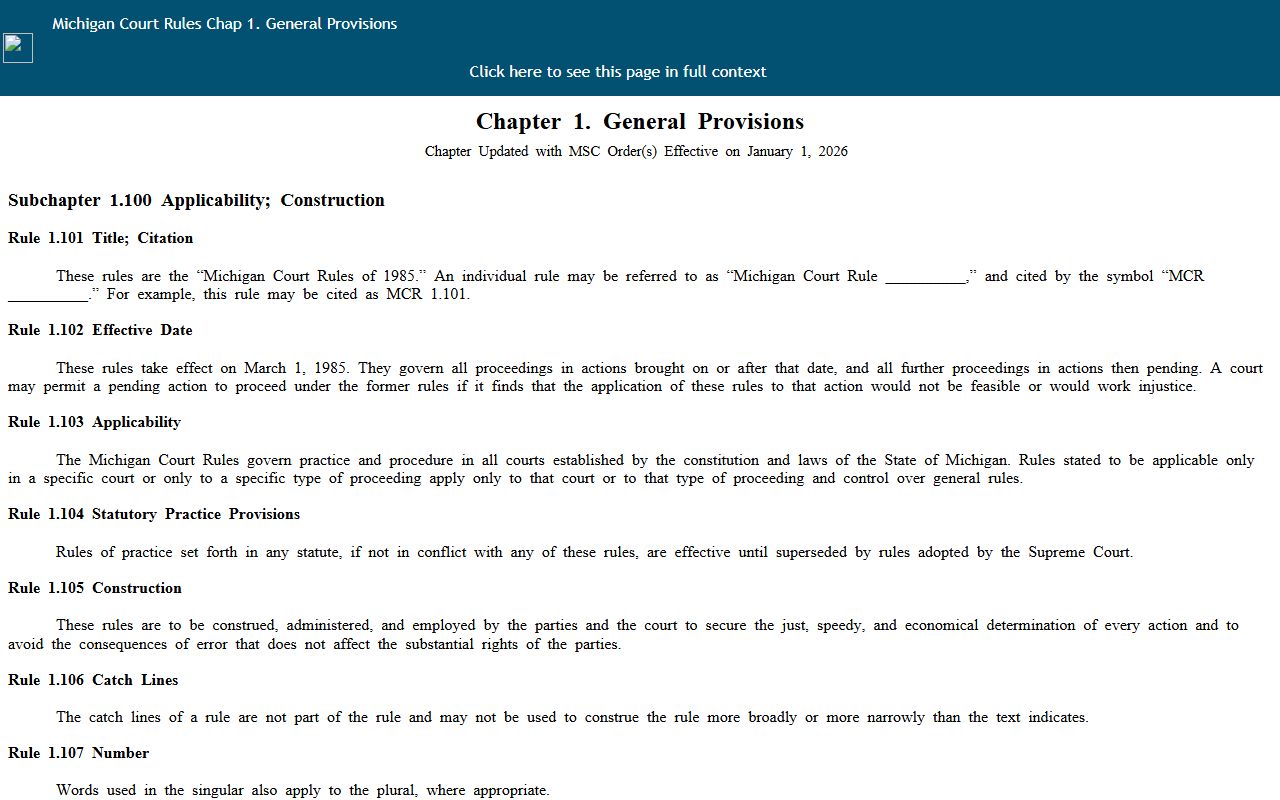
The rule that controls judicial records is MCR 8.119. Under it, court records are governed by court rule, and access can be limited by statute, rule, or a judge's order. The state's own court-rules chapter explains how case records are defined and opened to the public.
The Michigan court rules set the frame for what counts as a public case record. The Michigan Court Rules, Chapter 1 lay out the public-access and case-record definitions that every trial court applies.
When a record sits with county government rather than the court, the county FOIA process applies. The County Clerk is the submission point for those requests. The county accepts written, faxed, emailed, and in-person requests, responds within five business days, and may extend that window by ten more. A deposit can be required when the estimated cost tops fifty dollars.
Note: Court case files follow MCR 8.119 while general county government records follow the county FOIA process, so the correct channel depends on who holds the record.
Records That Are Sealed or Confidential in Alcona County
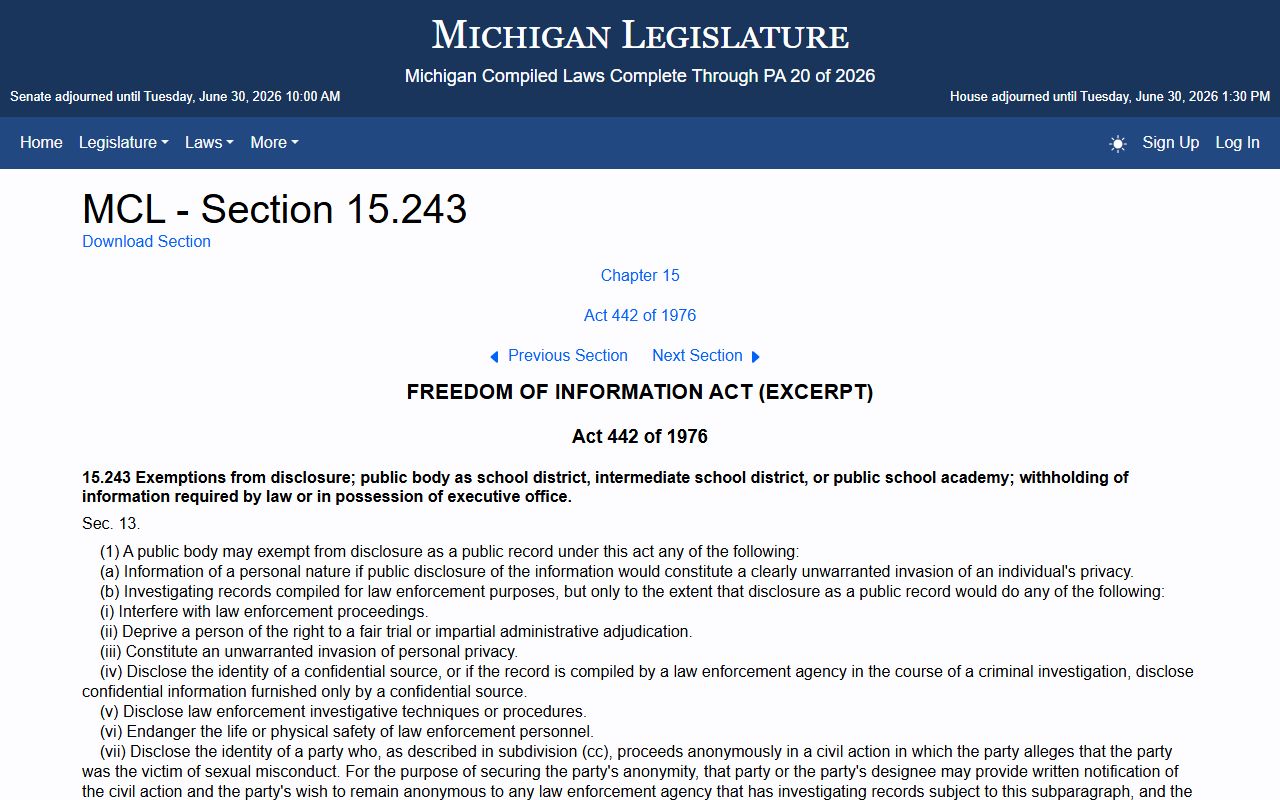
The public-record picture narrows fast once a file involves juveniles, adoptions, sealed convictions, or mental-health proceedings. Michigan court rules and specific statutes control these records, and access is far tighter than for ordinary adult cases. The FOIA exemption section, MCL 15.243, lets a public body withhold defined categories, including information of a personal nature.
Several statutes and rules govern the closed categories. Access to case records and sealing rests on MCR 8.119. Child-protection confidentiality runs through MCL 722.627, and adoption-record inspection is controlled by MCL 710.67. Expungement, the set-aside of an eligible conviction, is handled under MCL 780.621.
The list above shows why some searches return nothing. Juvenile records are restricted under Michigan juvenile and child-protection law. Adoption files are closed by default. A conviction that has been set aside is no longer openly available, and mental-health commitment files carry their own limits. To view a sealed or restricted record, a person usually must file a motion and show a legal basis, and a judge decides whether to open it.
Expungement itself has real burdens. The district court page explains that at least five years must pass since sentence, that the offense cannot be a traffic offense, and that the process runs sixty to ninety days with the applicant present at the hearing. A record-check fee starts the process, and fingerprints run through the Michigan State Police.
In-Person Court Record Requests
When a file is old, paper only, or missing from the online system, the courthouse counter is the fallback. The clerk's office and the trial courts share one building in downtown Harrisville, so a single visit can often cover several requests. Bring the case number if you have it, a photo ID, and payment for any copy or certified-copy fee. Screening applies at entry, and a dress code and recording limits are enforced in the courtrooms.
Alcona County Clerk
106 5th St.
Harrisville, MI 48740
(989) 724-9410
Mon-Fri 8:30 a.m. to 4:30 p.m.; closed noon to 1 p.m.
The County Clerk also serves as the circuit court clerk for the Alcona division, which means the same counter handles many circuit filings alongside vital records and business filings. For office responsibilities, forms, and certified-copy fees, the Alcona County Clerk page carries the full detail. District court and probate files are requested at their own counters in the same building, using the court-specific phone lines in the county directory.
Mail requests reach the clerk at Alcona County Clerk, 106 5th St., PO Box 308, Harrisville, MI 48740. The office also accepts faxed and emailed county records requests, and it can deliver copies by pickup, mail, email, or digital media. A self-addressed stamped envelope speeds a mailed reply.